Menu
  • Helpguide
  • Release notes
  • FAQ’s
  • Helpguide
  • Release notes
  • FAQ’s
home/Knowledge Base /Reports/Booking & Attendance/Booking Summary Report
Popular Search:Submit RS7 Return, Adding a child record

Booking Summary Report

236 views 0 June 17, 2022 Updated on June 26, 2025 Juniorlogs Team

What Does This Report Do?

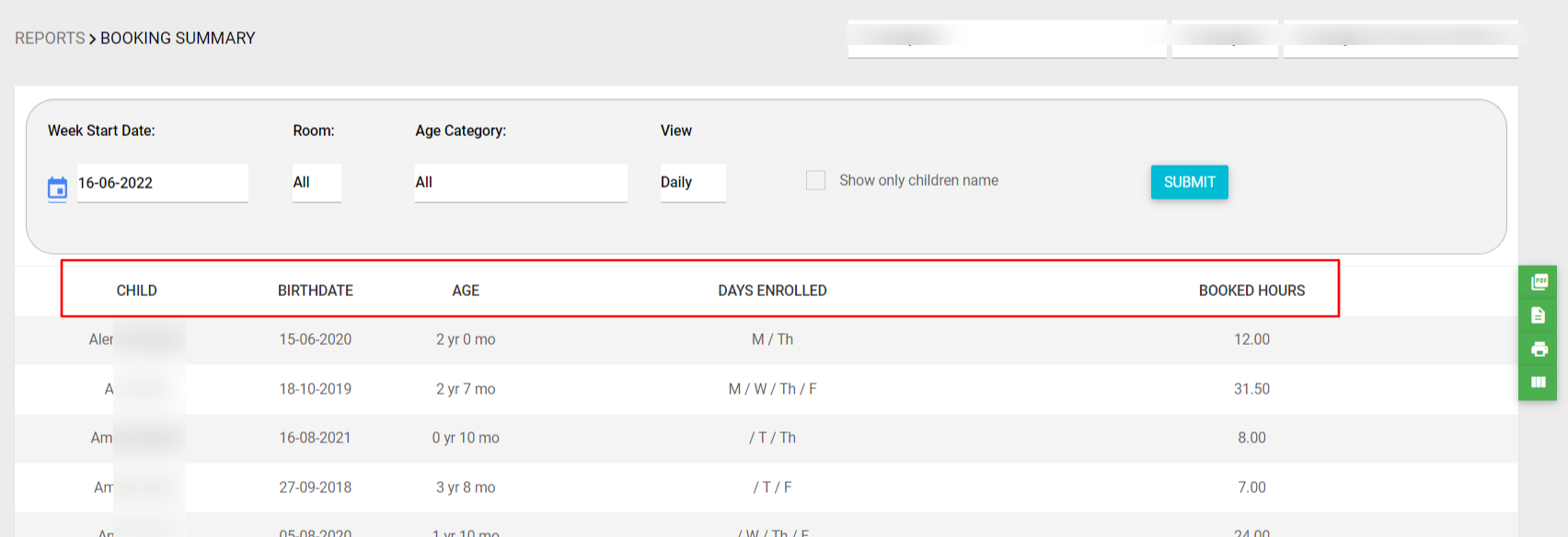
The Booking Summary provides a high-level snapshot of booking patterns across a selected period. It helps services identify trends in enrolment, monitor room utilisation, and support planning for staffing and resources.

This report is ideal for gaining a quick understanding of how bookings are distributed throughout the week across different age groups and rooms. It simplifies and summarizes the booking information of the children.

Available Filters

  • Week Start Date
  • Room
  • Age Category
  • View: Daily, Sessional, Morning, Afternoon
  • Sort By: First Name or Age

Report Output

The report displays:

  • Each child’s name, birthdate, and current age

  • Days enrolled across the selected week

  • Total booked hours for the week

Children are listed side-by-side to provide a clear and comparative view of attendance load and enrolment distribution.

How to access the report?

  1. Go to the Left Menu
  2. Click Reports.
  3. Under the Booking and Attendance section, select Booking Report. You can also download a PDF of this report with a Signature column included, for the parents to sign.
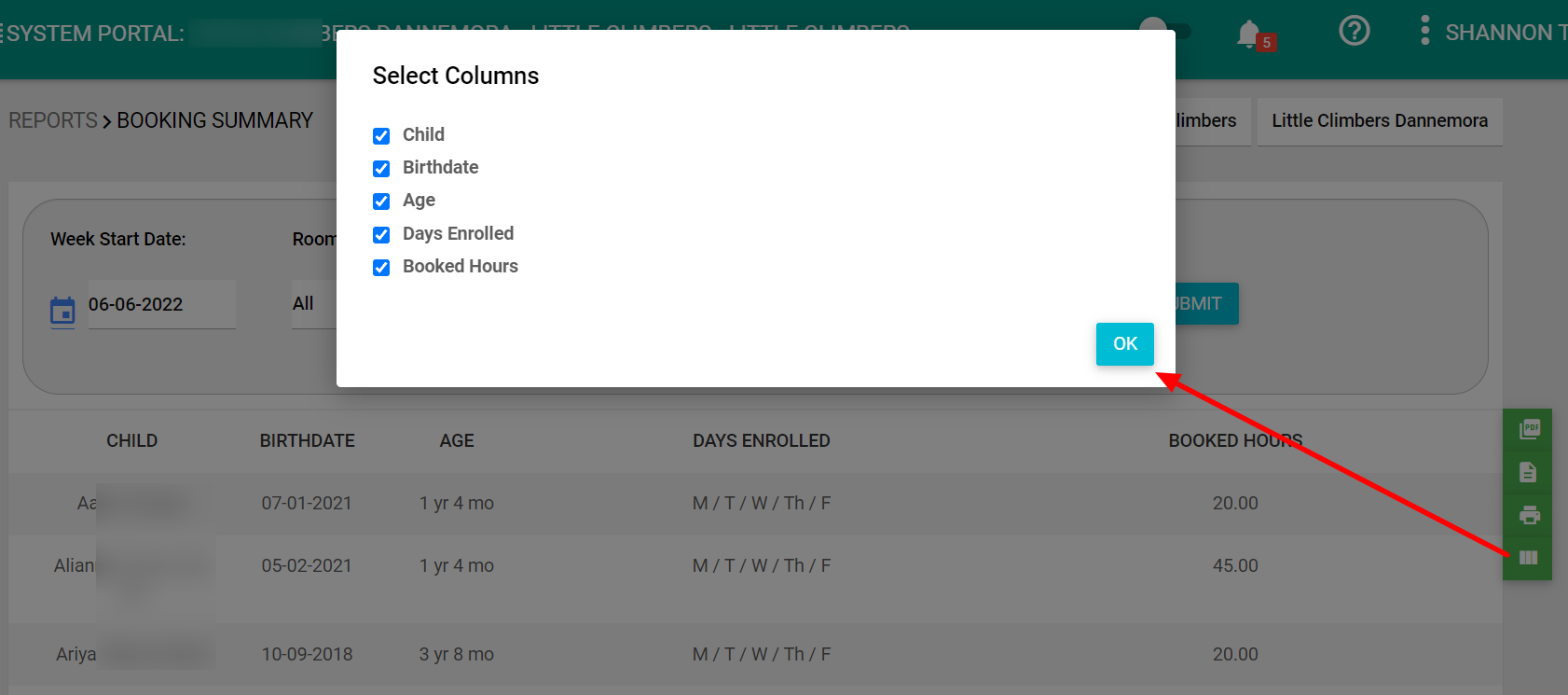
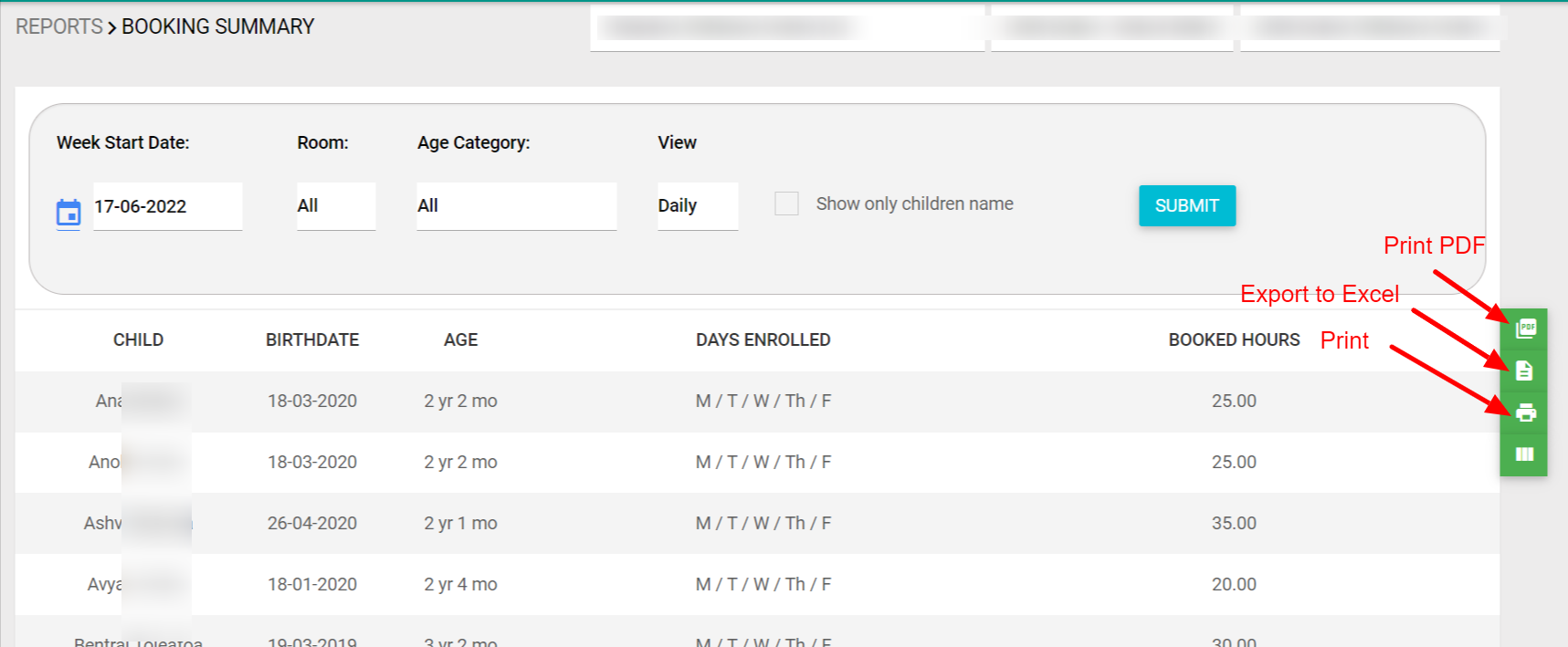
  4. You can save the report as a PDF, print, or export it to excel (CSV file).

Was this helpful?

Yes  No
Related Articles
  • Early Drop Off/Late Pickup Report
  • Booking & Attendance Weekly Report
  • Booking/Roll Forecast Report
  • OSCAR Booking & Attendance Report
  • Frequent Absence Report
  • Monthly Attendance Report

No luck finding what you need? Contact Us

Booking & Attendance
  • Booking Summary Report
  • Early Drop Off/Late Pickup Report
  • Booking & Attendance Weekly Report
  • Booking/Roll Forecast Report
  • OSCAR Booking & Attendance Report
  • Frequent Absence Report
View All 10  
Popular Articles
  • Discretionary Hours And How They Work In Juniorlogs
  • Getting Started – Kiosk App
  • How To Install The Kiosk Application
  • How To Clear Your Browser Cache
  • How Do I Submit RS7 Return?
KB Categories
  • Attendance Module
    • Absence Rules
    • Attendance And Absences
    • Closures
  • Children Module
    • Booking
    • Children Data
    • Enrolment
  • Dashboard Widgets
  • Finance & Accounts
    • Accounts and Fees
    • Aged Debtors
    • Bond Payments
    • Credit Notes
    • Fees and WINZ
    • Invoices
    • Invoices and Payments
    • Payments
    • Transaction List
  • Funding Module
  • Getting Started with Juniorlogs
    • About Children Module
    • Attendance Marking
    • Enquiry Management
    • Fee Setup & Invoicing
    • Getting Started
    • Roster & Contact Hours
  • Home-based
  • Kiosk Mobile Application
  • List View
    • New Enrolment Enquiries
  • Message Centre
  • MOE Module
  • OSCAR Centres
  • Reports
    • Booking & Attendance
    • Centre
    • Checklists
    • Children
    • EAV Audit
    • Finance
    • Kiosk Reports
    • MOE
    • OSCAR Reports
    • Staff
    • WINZ
  • RS7 Return
  • Settings Module
  • Staff Records
    • Roster and Contact Hours
    • Staff & Educators
  • Troubleshooting
  • Xero Integration

  Booking Report

Booking/Roll Forecast Report  

  • Privacy Policy
  • Terms of Use
  • © 2021 Juniorlogs Team. All Rights Reserved.

Popular Search:Submit RS7 Return, Adding a child record