Menu
  • Helpguide
  • Release notes
  • FAQ’s
  • Helpguide
  • Release notes
  • FAQ’s
home/Knowledge Base /Attendance Module/Attendance And Absences/How To Mark Absences As Non-Funded (NF)
Popular Search:Submit RS7 Return, Adding a child record

How To Mark Absences As Non-Funded (NF)

139 views 0 September 12, 2023 Updated on December 30, 2025 Juniorlogs Team

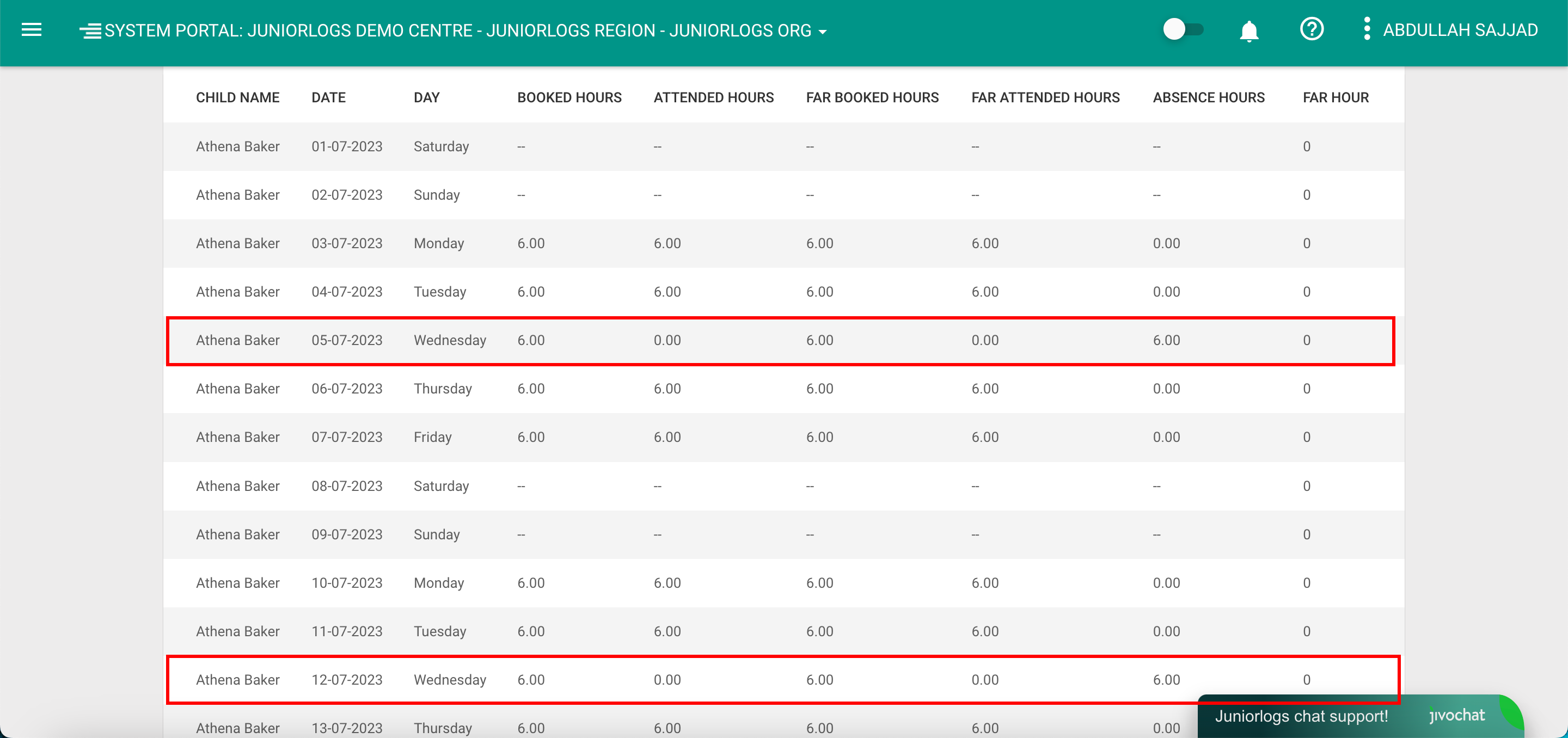
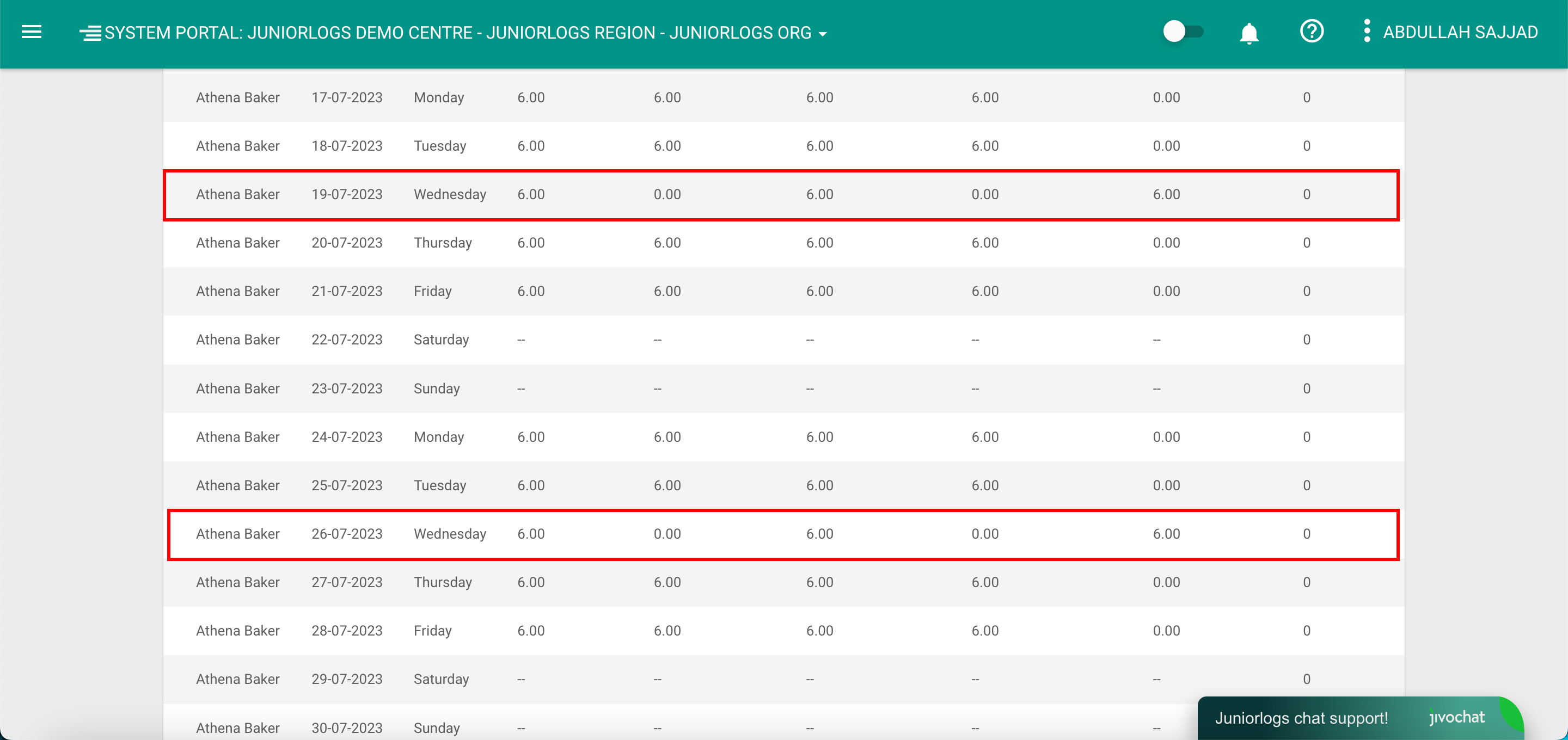
If you wish to change the absences to Non-funded or if you do not wish to claim Funding for selected days/ or a booking period, you can mark the child as Non-Funded (NF) on which the absence is occurring. The system will not claim funding for that specific day(s) and will not count it under the FAR overview report.  

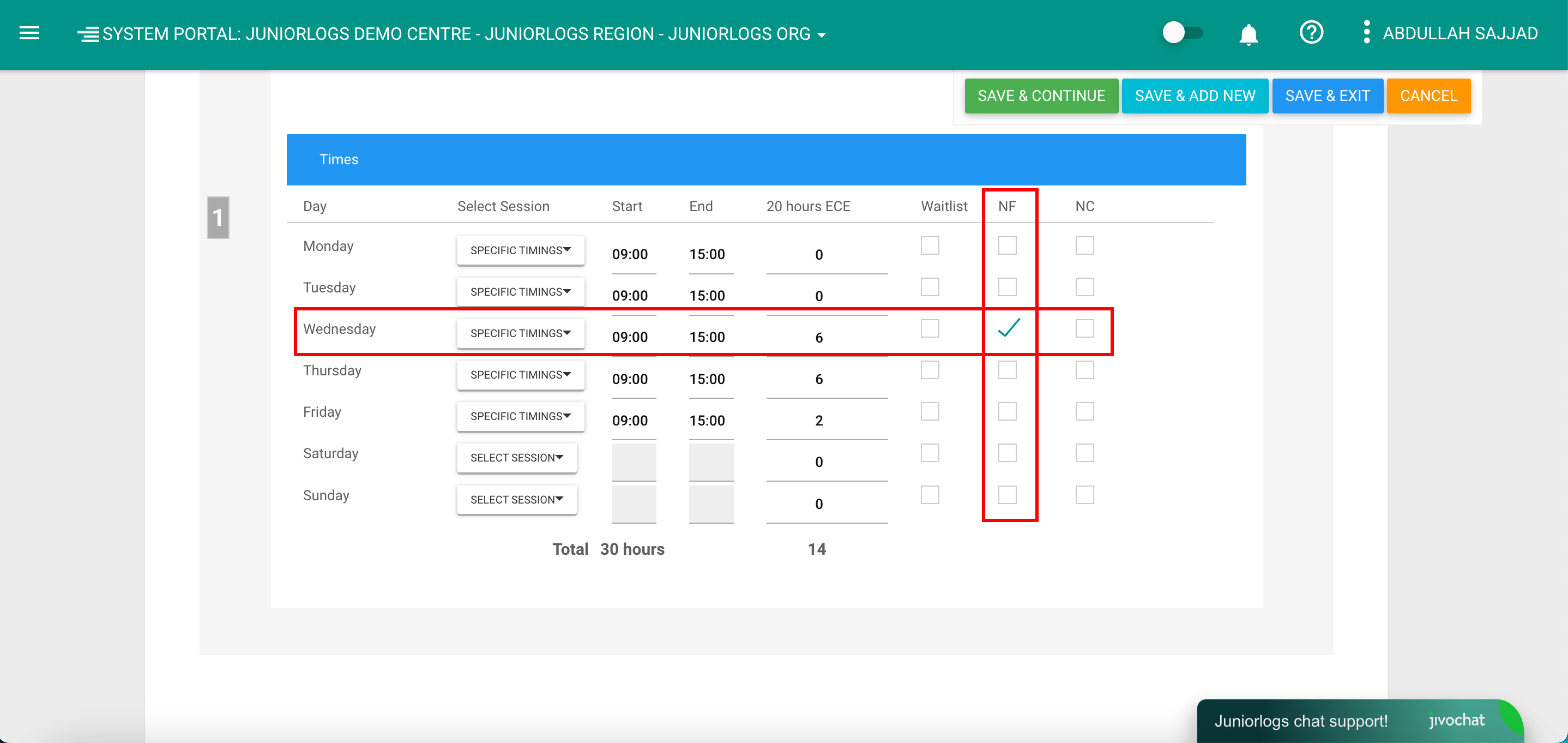
To mark the child as NF, proceed to the booking tab of the child, check the specific day(s) as NF and save. 
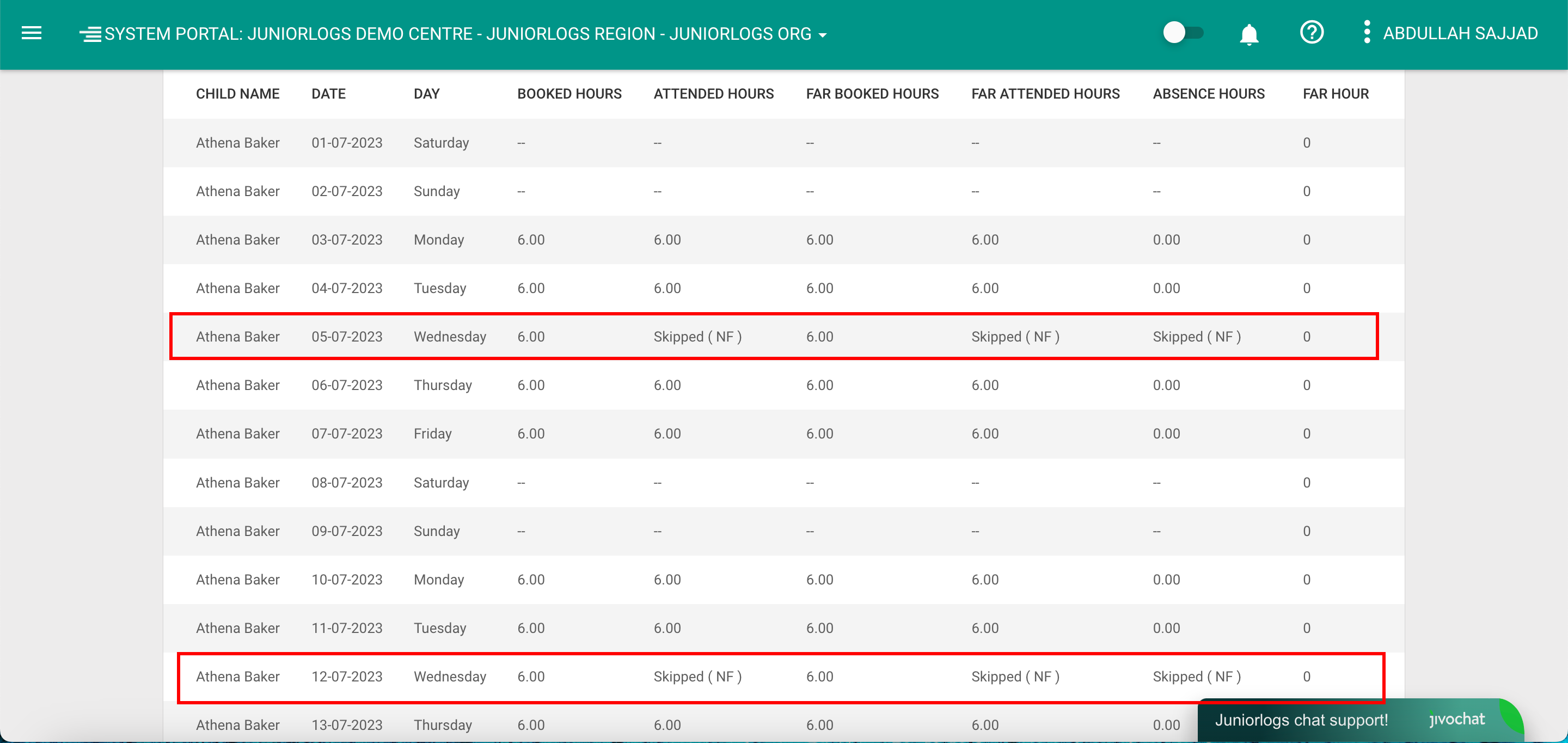
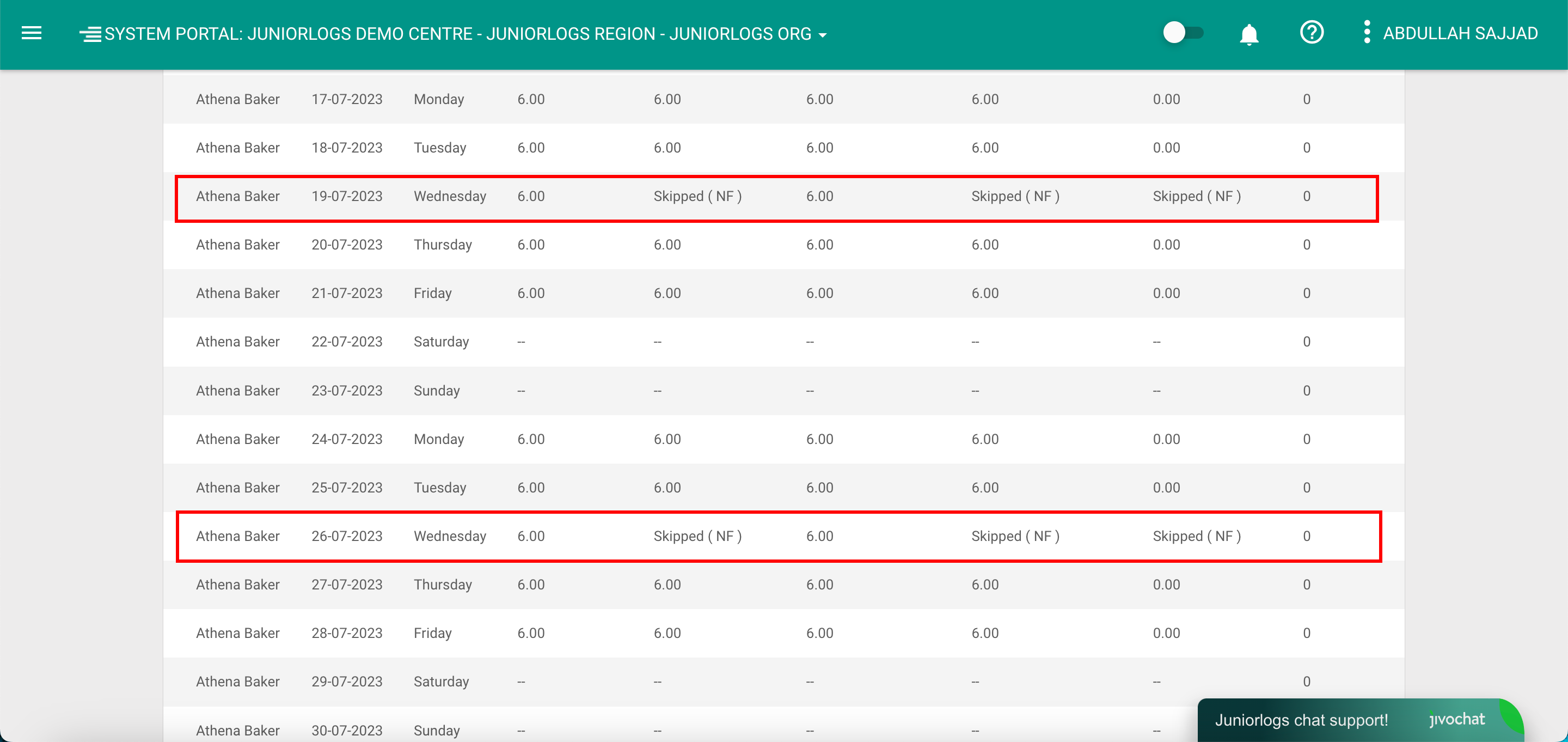
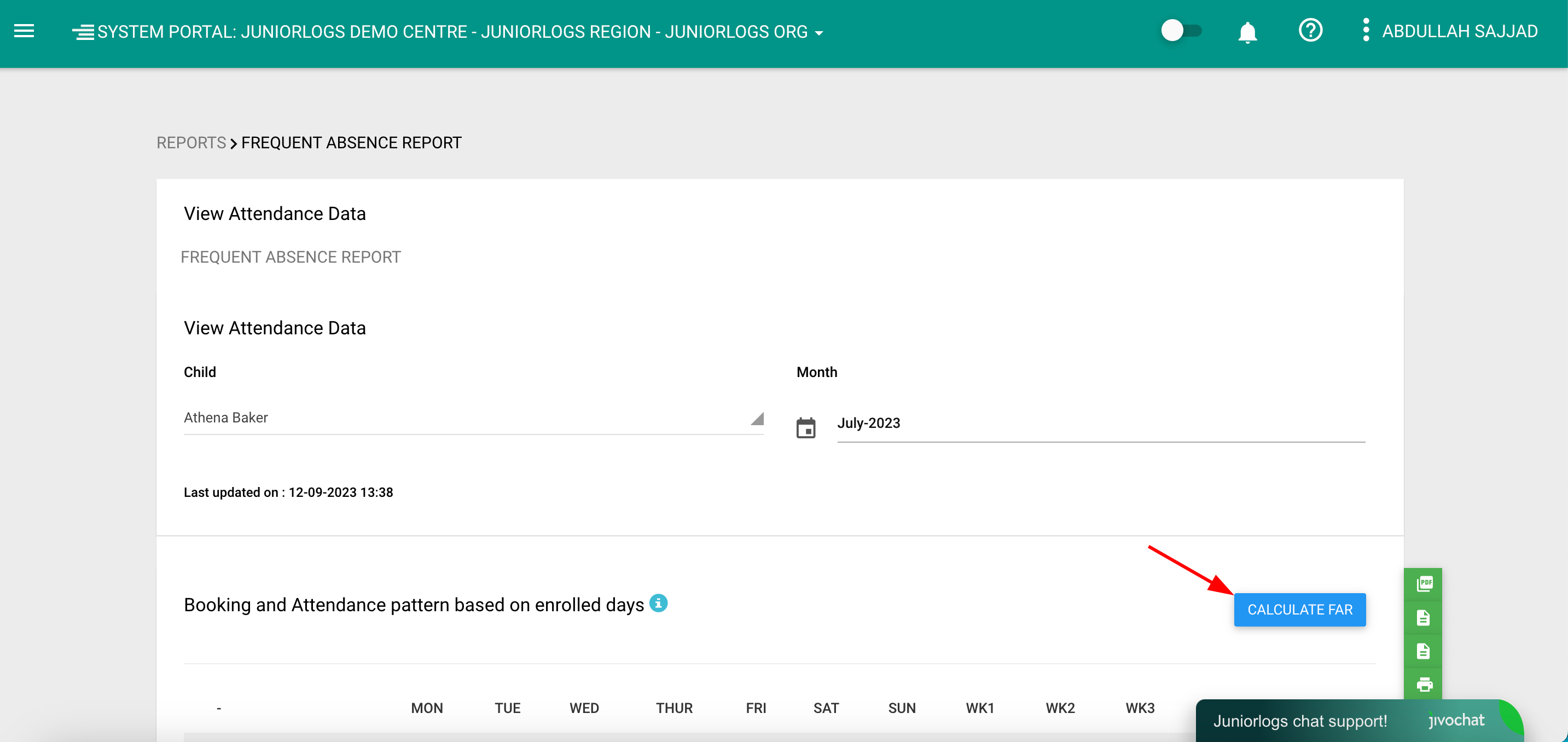
Proceed to Frequent Absence Report to verify. For any changes to the booking schedule where the funding has been claimed earlier, click Calculate FAR button to manually trigger the re-calculations. 
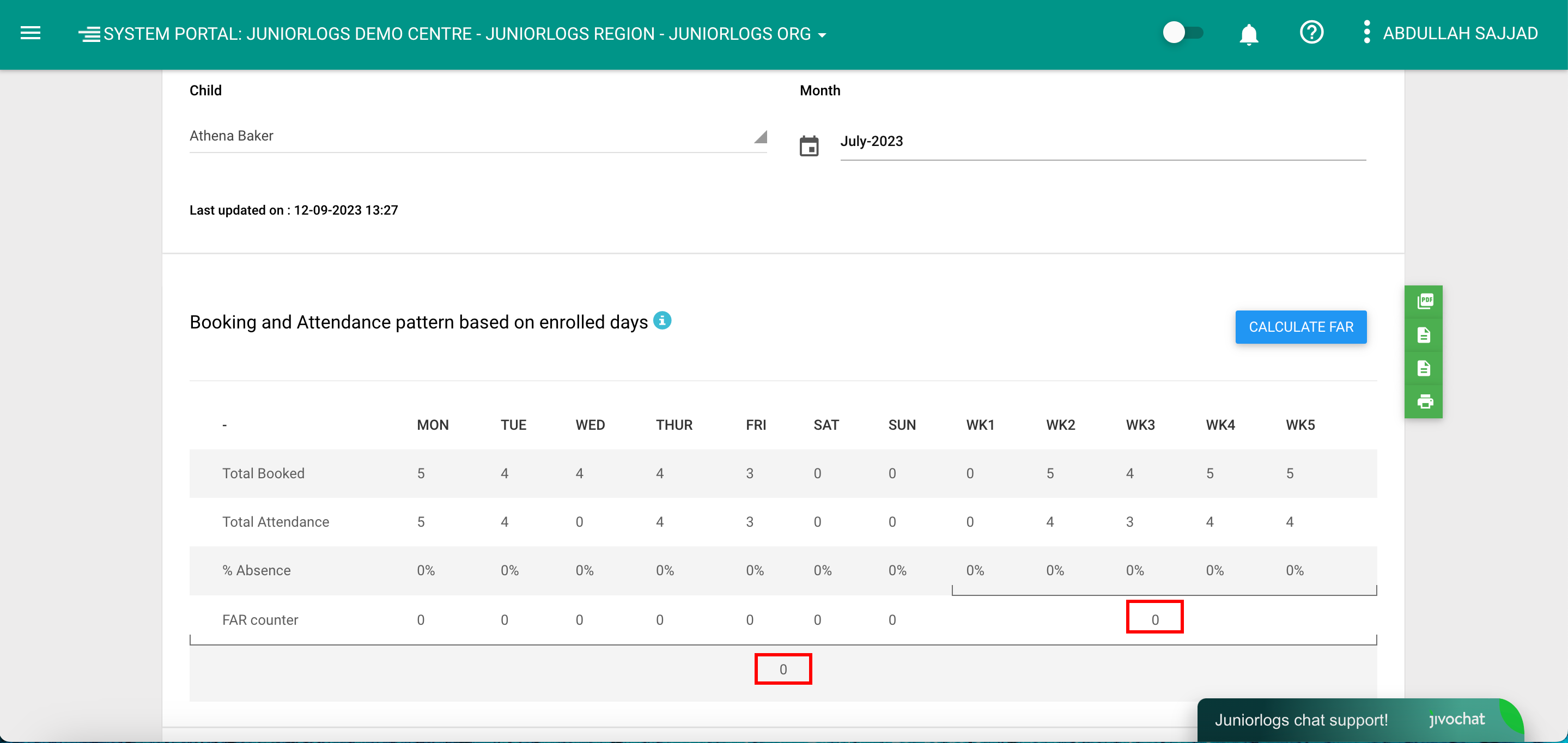
The system will recalculate and show the updated report. 
Was this helpful?

Yes  No
Related Articles
  • How To Add A Vacation Register
  • How To Mark Attendance In Juniorlogs
  • How To Mark Children As Exempt
  • How To Set Any Other Day As Start Day Of The Weekly Timesheets
  • How To Print Sign-in Sheets
  • How To Edit And Add Second Attendances

No luck finding what you need? Contact Us

Attendance And Absences
  • How To Mark Absences As Non-Funded (NF)
  • How To Add A Vacation Register
  • How To Mark Attendance In Juniorlogs
  • How To Mark Children As Exempt
  • How To Set Any Other Day As Start Day Of The Weekly Timesheets
  • How To Print Sign-in Sheets
View All 8  
Popular Articles
  • Discretionary Hours And How They Work In Juniorlogs
  • Getting Started – Kiosk App
  • How To Clear Your Browser Cache
  • How To Mark Attendance In Juniorlogs
  • How To Install The Kiosk Application
KB Categories
  • Attendance Module
    • Absence Rules
    • Attendance And Absences
    • Closures
  • Children Module
    • Booking
    • Children Data
    • Enrolment
  • Dashboard Widgets
  • Finance & Accounts
    • Accounts and Fees
    • Aged Debtors
    • Bond Payments
    • Credit Notes
    • Fees and WINZ
    • Invoices
    • Invoices and Payments
    • Payments
    • Transaction List
  • Funding Module
  • Getting Started with Juniorlogs
    • About Children Module
    • Attendance Marking
    • Enquiry Management
    • Fee Setup & Invoicing
    • Getting Started
    • Roster & Contact Hours
  • Home-based
  • Kiosk Mobile Application
  • List View
    • New Enrolment Enquiries
  • Message Centre
  • MOE Module
  • OSCAR Centres
  • Reports
    • Booking & Attendance
    • Centre
    • Checklists
    • Children
    • EAV Audit
    • Finance
    • Kiosk Reports
    • MOE
    • OSCAR Reports
    • Staff
    • WINZ
  • RS7 Return
  • Settings Module
  • Staff Records
    • Roster and Contact Hours
    • Staff & Educators
  • Troubleshooting
  • Xero Integration

  How To Mark Attendance In Juniorlogs

How To Add A Vacation Register  

  • Privacy Policy
  • Terms of Use
  • © 2021 Juniorlogs Team. All Rights Reserved.

Popular Search:Submit RS7 Return, Adding a child record