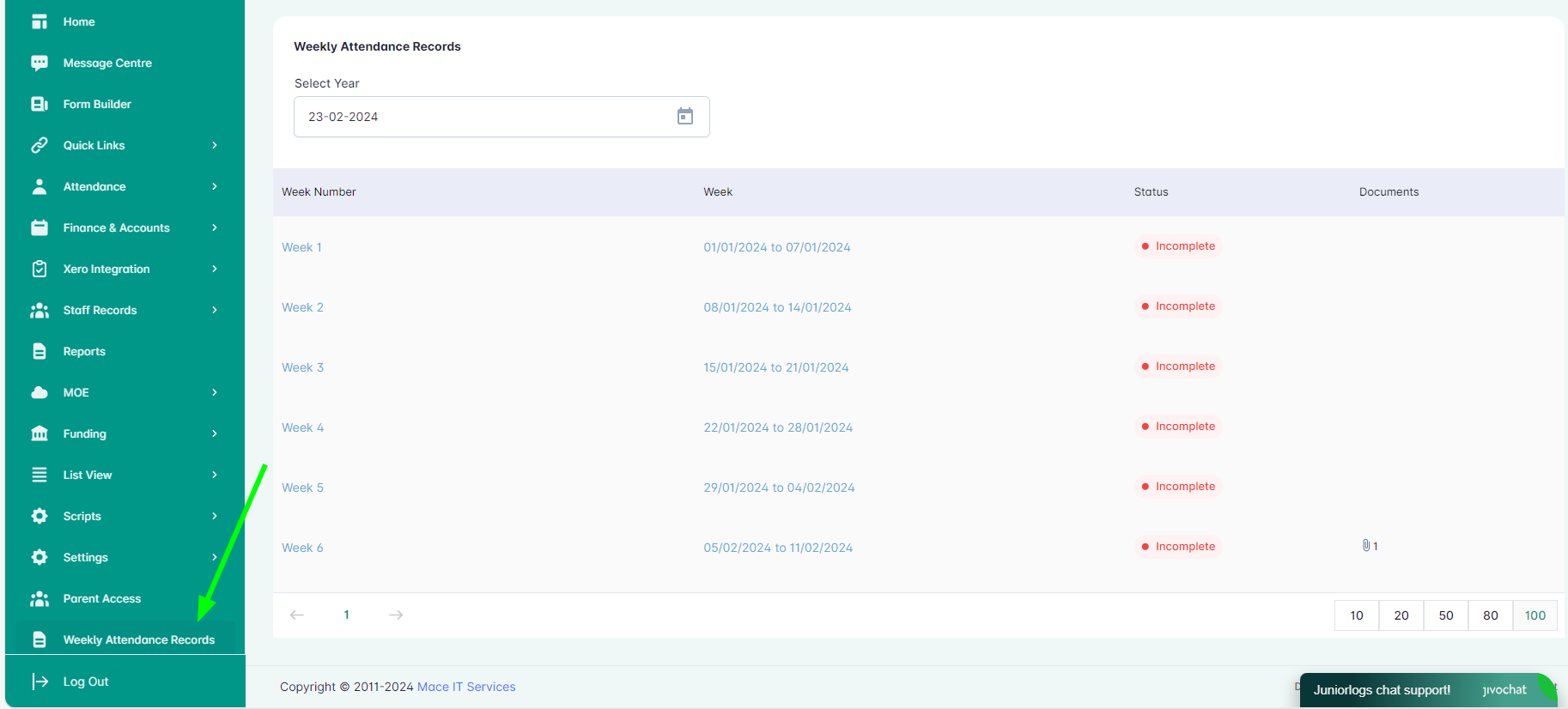
This guide will show you how to generate and print Weekly Attendance Records for parent verification and audit purposes. These records provide a summary of each child’s attendance for the week and include a column for parental acknowledgment—supporting transparency and meeting documentation requirements with ease.
From the main menu, access the Weekly Attendance Records page. Here, you will be able to see the records for every week as you select appropriate week as desired.
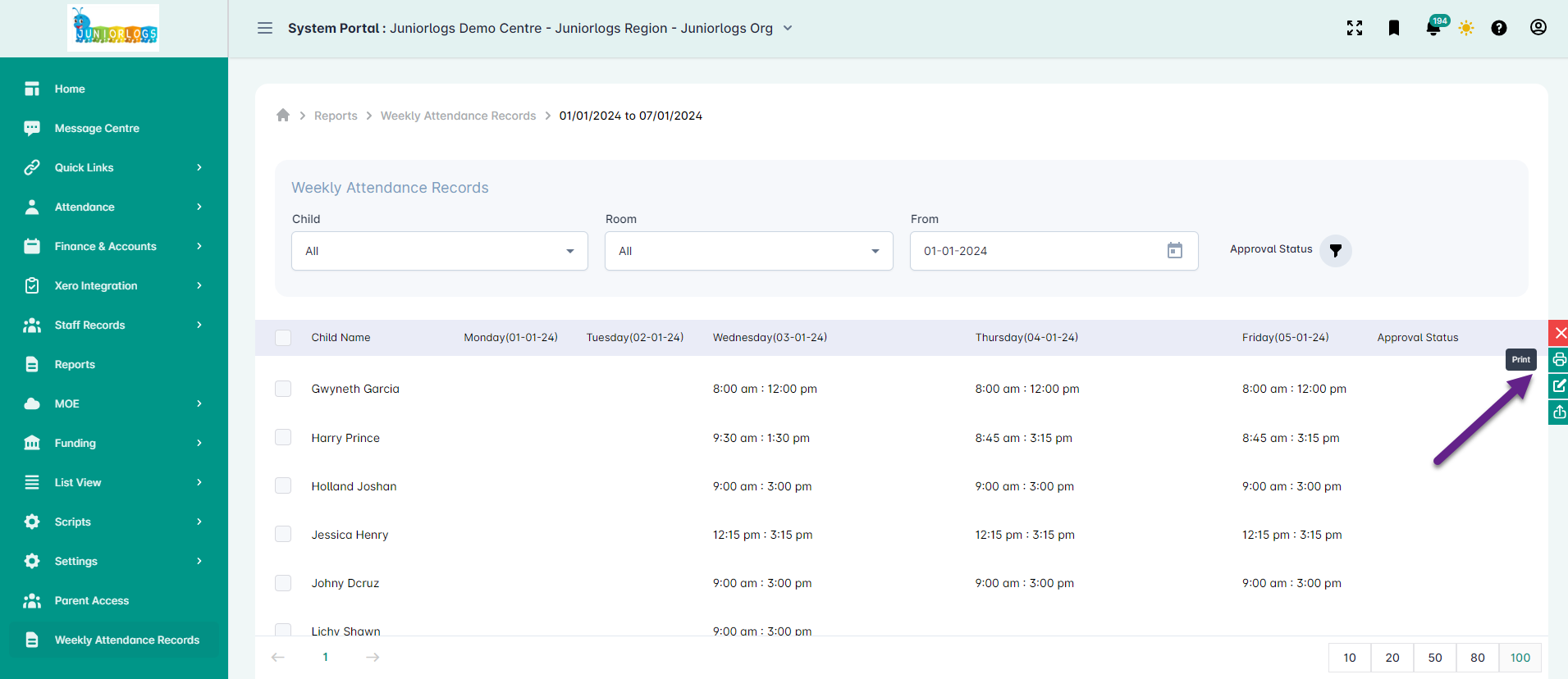
To print the records, simply press on the print button located in the floating toggle on the right side.
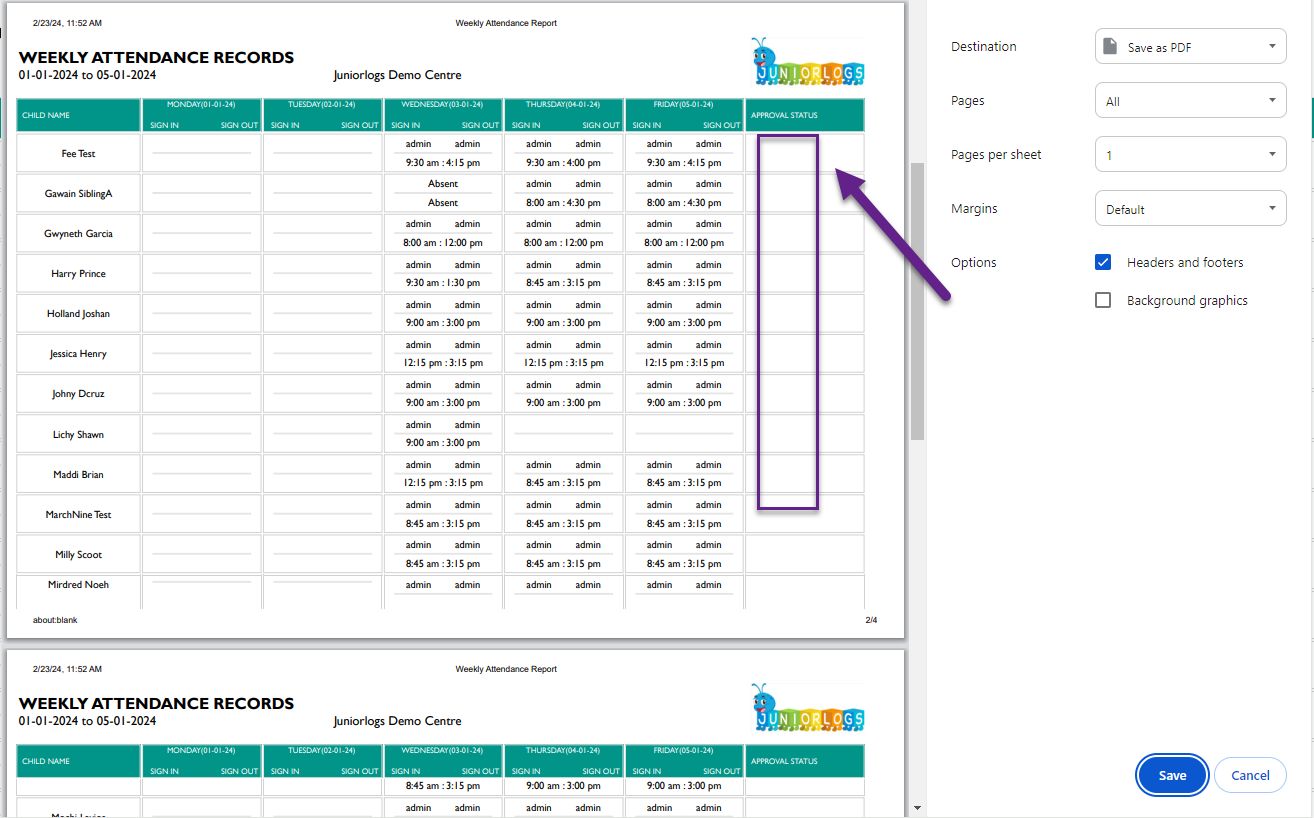
You can get the parent signatures in the last column of the printed weekly sheet. For users previously using the Weekly Attendance report, kindly now access and print from the Weekly Attendance Records page.
How the Room Filter works
The Room filter applies to the whole week, not just individual days.
For example:
If you select the “Preschool” room, and a child is booked into Preschool only on Monday, their entire week’s attendance will still appear in the report—even for days when they weren’t in that room.
This means:
- As long as a child is booked into the selected room on at least one day during the week, their full week’s data will be shown in the report.
This helps ensure you’re seeing a complete weekly overview of each child who has any connection to the selected room.