Menu
  • Helpguide
  • Release notes
  • FAQ’s
  • Helpguide
  • Release notes
  • FAQ’s
home/Knowledge Base /Staff Records/Roster and Contact Hours/How To Add Roster Duties As Favourites
Popular Search:Submit RS7 Return, Adding a child record

How To Add Roster Duties As Favourites

186 views 0 April 29, 2024 Updated on December 30, 2025 Juniorlogs Team

Add a duty to the list of Favourites

Based on popular demand, Juniorlogs now allows to tag your roster duties as favourites.
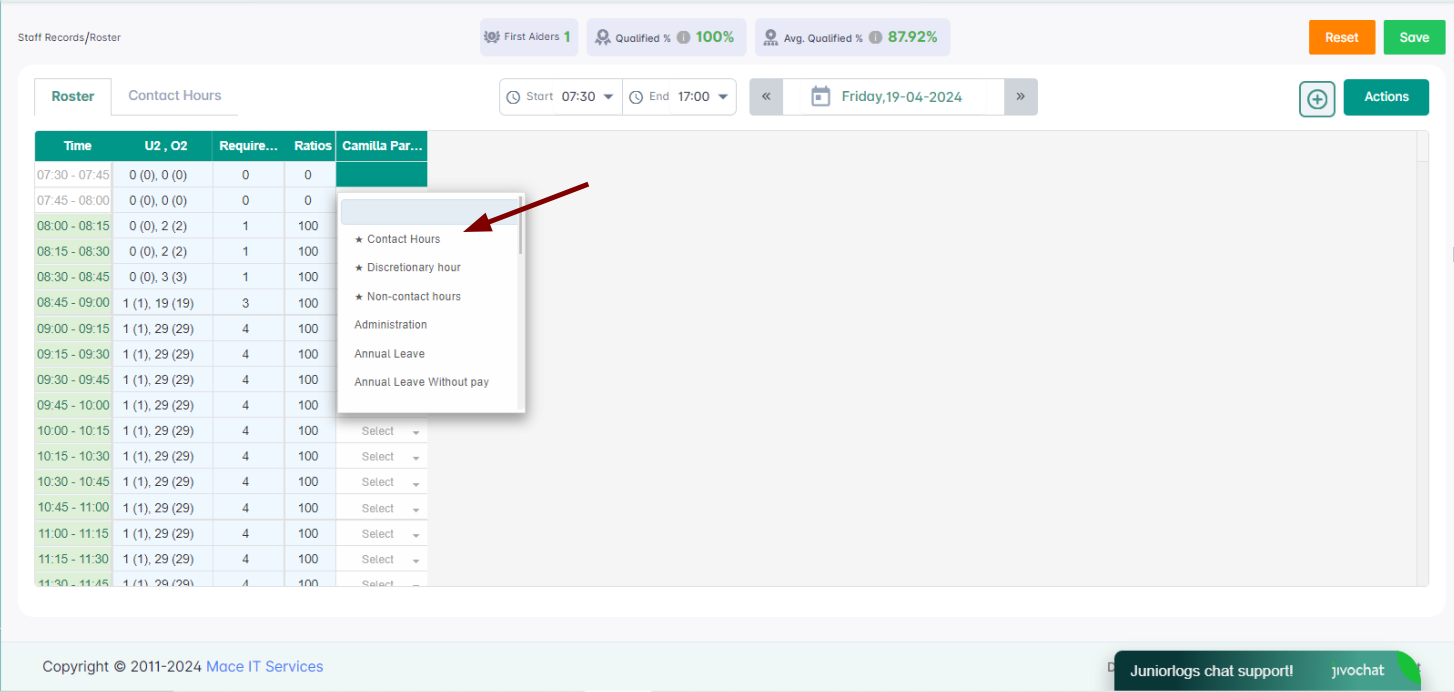
These favourite duties will always show on the top of the list when selecting duties in Roster/Contact hours.

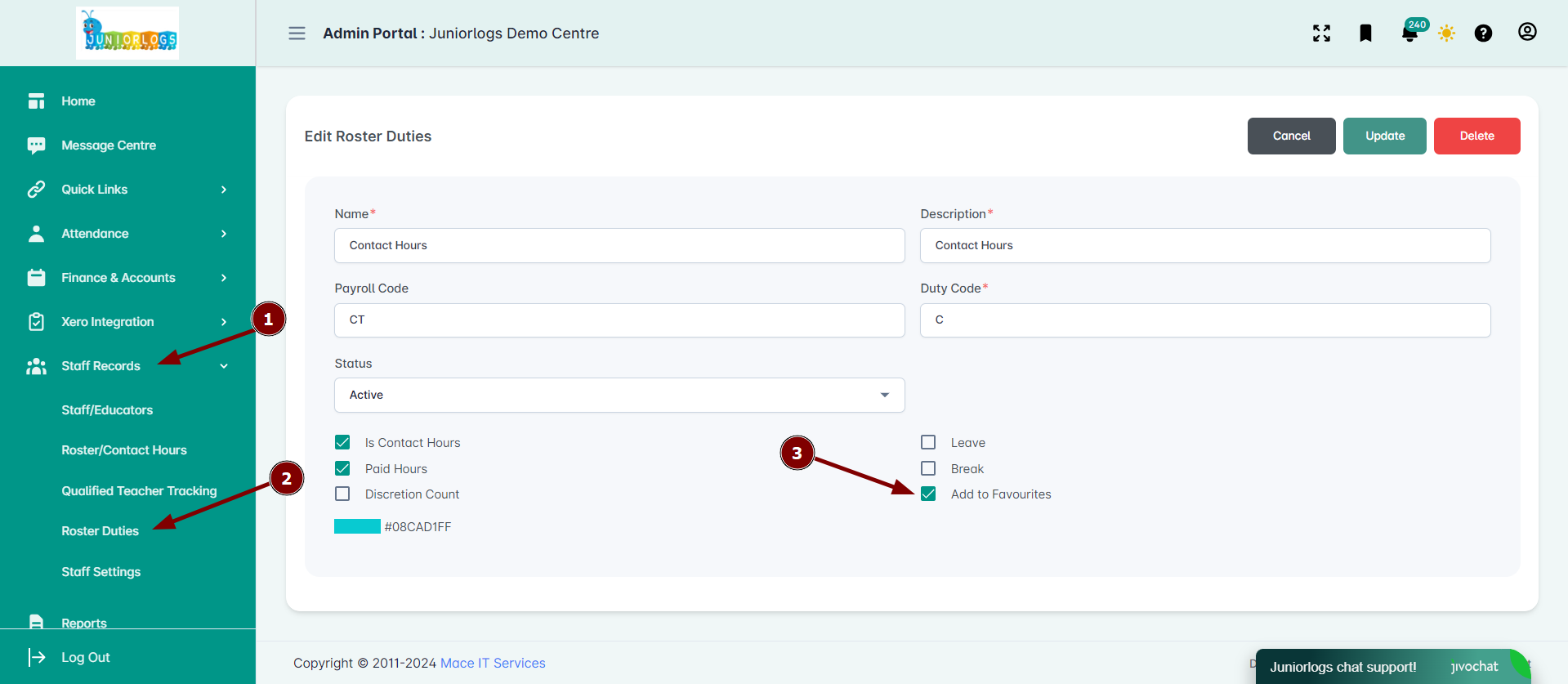
To add a duty to the list of Favourites, please head into the Roster Duties menu option. Select the desired duty and click update then select the Add to Favourites option.
Was this helpful?

Yes  No
Related Articles
  • Staff Roster & Break Management
  • How To Print and Email Roster Weekly Timesheets and to staff individually
  • Roster Colors & Ratios
  • How To Copy Roster
  • Regulation 44A Staff Ratio
  • Contact Hours Recording – Staff Ratio

No luck finding what you need? Contact Us

Roster and Contact Hours
  • How To Add Roster Duties As Favourites
  • Staff Roster & Break Management
  • How To Print and Email Roster Weekly Timesheets and to staff individually
  • Roster Colors & Ratios
  • How To Copy Roster
  • Regulation 44A Staff Ratio
View All 13  
Popular Articles
  • Discretionary Hours And How They Work In Juniorlogs
  • Getting Started – Kiosk App
  • How To Install The Kiosk Application
  • How To Clear Your Browser Cache
  • How Do I Submit RS7 Return?
KB Categories
  • Attendance Module
    • Absence Rules
    • Attendance And Absences
    • Closures
  • Children Module
    • Booking
    • Children Data
    • Enrolment
  • Dashboard Widgets
  • Finance & Accounts
    • Accounts and Fees
    • Aged Debtors
    • Bond Payments
    • Credit Notes
    • Fees and WINZ
    • Invoices
    • Invoices and Payments
    • Payments
    • Transaction List
  • Funding Module
  • Getting Started with Juniorlogs
    • About Children Module
    • Attendance Marking
    • Enquiry Management
    • Fee Setup & Invoicing
    • Getting Started
    • Roster & Contact Hours
  • Home-based
  • Kiosk Mobile Application
  • List View
    • New Enrolment Enquiries
  • Message Centre
  • MOE Module
  • OSCAR Centres
  • Reports
    • Booking & Attendance
    • Centre
    • Checklists
    • Children
    • EAV Audit
    • Finance
    • Kiosk Reports
    • MOE
    • OSCAR Reports
    • Staff
    • WINZ
  • RS7 Return
  • Settings Module
  • Staff Records
    • Roster and Contact Hours
    • Staff & Educators
  • Troubleshooting
  • Xero Integration

  How To Copy Roster

Discretionary Hours And How They Work In Juniorlogs  

  • Privacy Policy
  • Terms of Use
  • © 2021 Juniorlogs Team. All Rights Reserved.

Popular Search:Submit RS7 Return, Adding a child record